
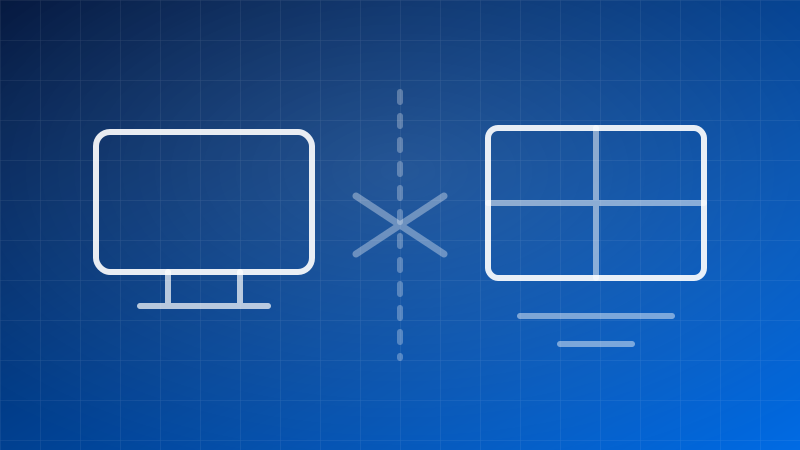
Start here: which machine will run it?
QuickBooks Desktop Mac Plus 2024 and the Windows editions — Pro Plus, Enterprise, Enterprise Accountant — are separate products. Not one program with a Mac build. Different software, written separately, with different feature sets and different file formats.
This is the most expensive mistake you can make on this site, so it is worth thirty seconds:
- A Mac → QuickBooks Desktop Mac Plus 2024.
- A Windows PC → Pro Plus, Enterprise or Enterprise Accountant.
- A Mac, but you need Windows features → read the last section before you order anything.
A Windows licence will not install on macOS, and a Mac licence will not install on Windows. There is no cross-grade.
What Mac Plus gives you
The native macOS edition, built for the platform rather than emulated:
- Track income, expenses and bills
- Create and send invoices
- Financial reports
- One-time licence, no subscription — same as the Windows editions
- Runs locally, company file on your own machine
At $137 it sits at the same price as Pro Plus at one seat.
The two real constraints
It is single-user. Mac Plus is sold as a one-seat licence. There are no two-, three- or five-user tiers as there are on the Windows side. If several people need to be in the file at the same time on macOS, that is a genuine limit to plan around rather than a tier you can pick — tell us what you are trying to do and we will say plainly whether it fits.
The feature set is not identical to Windows. Mac Plus does the core accounting well. It does not carry the deeper Windows-only capabilities — the advanced inventory, advanced pricing and role-based permissions you get in Enterprise. If your business depends on one of those, the honest answer is that macOS is not where that workload belongs.
"My accountant uses Windows — can they open my file?"
The two editions do not use the same company file format, so a file does not simply open on the other side. Moving between them is a conversion, not a copy.
In practice most arrangements work one of two ways: your accountant works from a copy you send them in a format they can read, or they work in their own software from reports you export. Neither is exotic and neither requires you to switch platform.
Before you buy, it is worth one message to whoever does your books, asking how they want to receive the file. If that answer creates a problem, tell us and we will work through it with you rather than let you find out in April.
If you are on a Mac but need the Windows editions
Some people run the Windows edition on a Mac through virtualisation or Boot Camp on older hardware. We are not going to pretend that is a supported, trouble-free arrangement or sell you a Windows licence on the assumption that it will work on your machine.
If that is your plan, write to us first and describe the setup. We would rather talk you out of a purchase than process a refund for one.
Before you order
- Confirm the machine. macOS or Windows — this decides everything else.
- Confirm the seat count. Mac Plus is one. On Windows, count the people in the file at once: how to count yours.
- Check the requirements. 2024 system requirements.
- Know the 2027 date. The licence never expires; Intuit's connected services for the 2024 release end 31 May 2027, on both platforms. What that means.
Then take Mac Plus or browse the Windows editions.